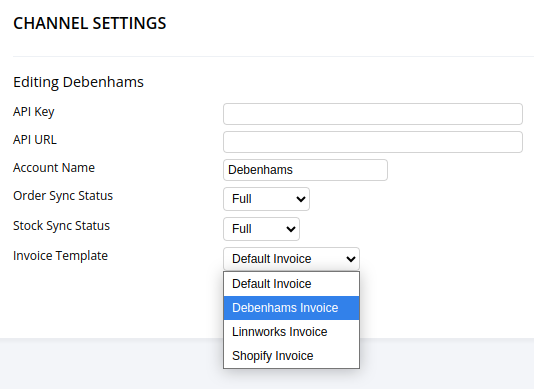
Each Channel found on the Channel List can have a different invoice.
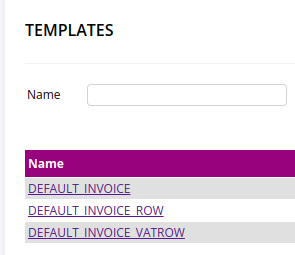
The templates for these invoices can be added and modified on the Template List
The easiest way to do this is to duplicate and adapt an existing invoice. We'll be doing that by duplicating the default invoice to a Debenhams integration.
To create a new template for one of your channel integrations click on the template you'd like to start with in the Template List. For this example that's DEFAULT_INVOICE
In the top right, click Duplicate Invoice.
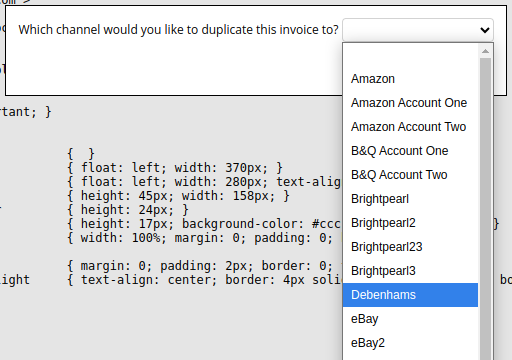
Then choose which channel you want to duplicate to:
After clicking Save the chosen templates will then be copied to new templates with the channel name:
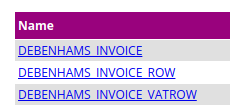
Those templates can then be edited.
The _INVOICE template is the main template, the _INVOICE_ROW is for line items and the _INVOICE_VATROW is for the VAT total.
Data is inserted using $ symbols. For example $customerPhone$
Once you have finished editing the template, head over to the Channel List page, find the integration you have just made a template for and click the name to edit.
Then click the Invoice Template dropdown, choose the integration and click Save.