Logo

What are you looking for?

Get help straight from our team...

Using the Order List 'Order By' Setting

Smartcode for Android

Using the Order List 'Order By' Setting

Changing the display order of your pending orders

Last updated on 23 Feb, 2026

By default, the orders in your order list tab are displayed in the order they are obtained from your ecommerce/stock control system.

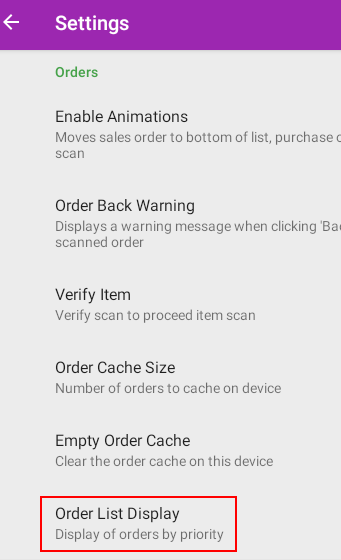
If you wish to customise the order, tap the settings button in the top left

Under 'Orders' you'll find 'Order List Display'

ImageImage

Tap to view the available options.

Did you find this article helpful?
Previous

Resetting your Android Scanning Device

Next