Logo

What are you looking for?

Get help straight from our team...

How to Connect Your Device to Wifi

Smartcode for Android

How to Connect Your Device to Wifi

Connecting your Smartcode device to a wireless network

Last updated on 23 Feb, 2026

You'll need to enter Android settings.

You may be able to swipe up on the home screen to show the app drawer.

If this does not work tap the app drawer button:

Image

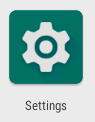
Then tap Settings

Image

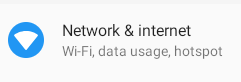
Then Network & internet

Image

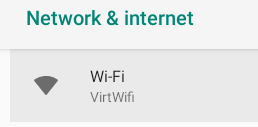
Then Wi-Fi

Image

Then select your wifi network from the list.

Did you find this article helpful?
Previous

How to Increase your Android Scanner Volume

Next