
To clear the order cache on your device, tap the settings icon in the top left

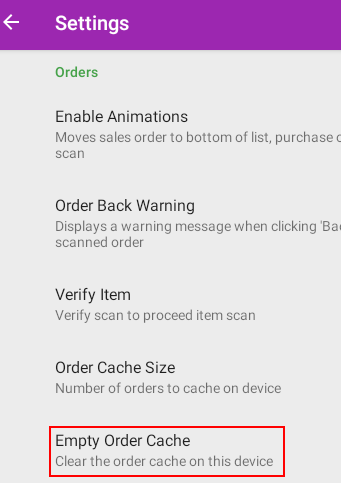
Scroll down the settings and select the 'Empty Order Cache' option
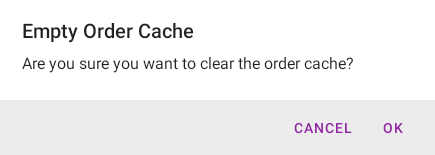
Then OK to confirm

What are you looking for?
Get help straight from our team...
Smartcode for Android
Last updated on 01 Apr, 2026
To clear the order cache on your device, tap the settings icon in the top left
Scroll down the settings and select the 'Empty Order Cache' option
Then OK to confirm