
If you need to clear the Smartcode app's cache just go to 'Settings' on your Android device

Then 'Apps' and tap the Smartcode app icon, then scroll down to CACHE
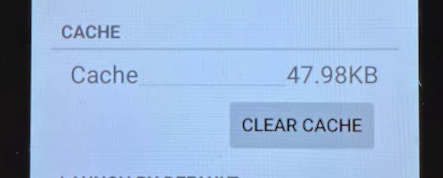
Tapping the CLEAR CACHE button will then clear the applications cached data

What are you looking for?
Get help straight from our team...
How to clear the Smartcode app cache
Clearing the system cache in Android settings
Last updated on 23 Feb, 2026
If you need to clear the Smartcode app's cache just go to 'Settings' on your Android device
Then 'Apps' and tap the Smartcode app icon, then scroll down to CACHE
Tapping the CLEAR CACHE button will then clear the applications cached data